
AI for HR: an employee assistant, one-entry onboarding, checked payroll and leave without the email chains
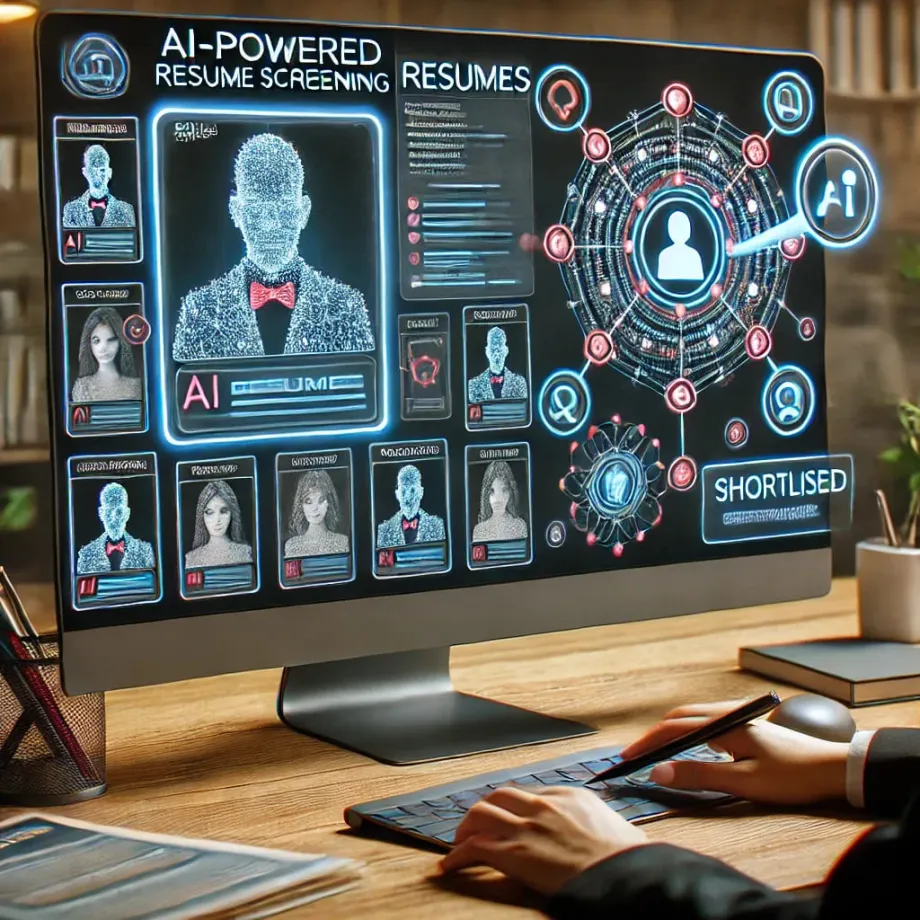
Monday morning in a small HR team: three people want to know how much holiday they have left, someone asks whether the collective agreement gives them a day off to move house, two new starters need setting up in payroll, time tracking, the ERP, email and the social security system, and the payroll provider has just sent this month’s payslips to check before payday. If you run HR in a company of 30 to 500 people, you know this Monday. This page goes process by process through what AI can do in HR today, what your HR software already does, and what still needs a person to decide.
The short answer
- What you can automate: an internal assistant that answers employees from your policies, handbook and collective agreement; onboarding a new starter across every system from a single entry; checking payroll before it’s paid; holiday and absence requests; drafts of contracts, letters and certificates; training records; performance review prep; and offboarding.
- What it saves: hours of mechanical work every month. In one of our projects, checking payroll against the provider’s PDFs went from 16–25 hours a month to under 2, and registering a new employee across 6 systems, which took 15+ hours a month in peak season, became one single entry.
- What it doesn’t do: make decisions about people. Hiring, appraising, promoting and dismissing stay with a person. AI that does those things, or screens candidates, is high-risk under the EU AI Act from 2 December 2027.
- What it costs: an assistant that answers from your documents, from around €1,000; an agent connected to 1–3 tools (your HR software, email, time tracking), €2,000–5,000; a multi-system project, from €5,000. Plus usage, which is cents per conversation or document. More in our AI agent pricing guide.
- How to start: with the employee assistant or payroll checks, which give hours back fastest with the least risk. If AI will touch decisions about people, tell your employee representatives before you start.
What you can automate in HR
| Process | What AI or automation does | Who benefits |
|---|---|---|
| Employee questions | An assistant that answers from the collective agreement, policies and handbook, and shows each person their own data (holiday balance, payslip) and nobody else’s | All staff, HR |
| Onboarding | One form that creates the person in payroll, time tracking, the ERP, email and folders, and prepares official filings for review | HR, IT, admin |
| Payroll checks | Compares the provider’s payslips with contracts, pay scales and the month’s changes, and flags only the differences | HR, finance |
| Holiday and absence | Takes the request, checks balance and cover, sends it to the manager and records it | Staff, managers, HR |
| Documents | Drafts contracts, amendments, letters and employment certificates from approved templates | HR, employment lawyers |
| Training records | One record of who has done which training, with reminders and expiry dates (health and safety, AI literacy) | HR, H&S |
| Performance reviews | Pulls together objectives, the manager’s notes and feedback into a draft for the meeting | Managers |
| Offboarding | A checklist across every system, equipment return, final pay for review, access removed on the day | HR, IT |
| Hiring basics | Job ads, interview scheduling, candidate replies | HR, hiring managers |
1. An HR assistant that answers employees from your own documents
Before: half the emails and messages HR gets are questions whose answer is already written down somewhere: “how many personal days do I have?”, “from what time does the night shift allowance start?”, “how do I request reduced hours?”, “when is the extra payment paid?”. Each one interrupts someone, and the answer depends on who replies.
With AI: an internal assistant (in Teams, on the intranet or on WhatsApp) that answers from your collective agreement, internal policies, employee handbook and procedures, and cites where each answer comes from. Technically this is called RAG (retrieval-augmented generation): the AI searches your documents before answering instead of making things up. With permissions, it can add each person’s own data (holiday balance, last payslip) for that person only; a manager sees their team’s and nobody else’s. Anything that needs judgement (“I have a problem with my manager”, “I’m thinking about unpaid leave”) it doesn’t answer: it hands it to HR.
To decide what can be answered automatically and what needs a person, we use decision models such as Jev, from TypeSafe, which returns calibrated probabilities instead of text; we run it in production to classify messages from our own contact form. “How much holiday do I have left?” goes out on its own; a complaint, a conflict or anything about health goes to a person. We cover the options (cloud, private or on your own server) in our guide to local AI and RAG for business.
2. Onboarding: one entry instead of six
Before: every new starter means typing the same details into payroll, time tracking, the ERP, email, the directory and shared folders, plus the official filings. In Spain, for example, that’s registering the person with Social Security before their first day and notifying the contract to the public employment service through Contrat@ within ten days. In a group of companies in the Balearic Islands we worked with, registering a new employee touched 6 systems and took 15+ hours a month in peak season.
With automation: the hiring manager fills in one form, or the new starter sends their ID, social security number and bank details; AI reads the documents; and the automation creates the record in every system, asks IT for a laptop and accounts, sends the handbook and the first-week plan, and prepares the official filings for someone to check and submit. If something is missing, it flags it before day one, not after. At the group, it became one single entry. We tell the story in the multi-company group success story.
3. Checking payroll before it’s paid
Before: every month, someone in HR takes the PDFs from the payroll provider and checks them one by one against contracts, pay scales in the collective agreement, overtime, sick leave, wage garnishments, starters and leavers. It’s painstaking, and when something slips through, the employee finds it.
With AI: the system reads the PDFs, compares them with what they should say (agreed salary and allowances, the changes HR reported, a tax withholding consistent with the person’s situation) and flags only the differences, with the reason. HR reviews the five or six flagged payslips, not all two hundred. At the group, this check went from 16–25 hours a month to under 2, and we built it with their HR team in their own department session. If you run payroll in-house, the same check can run on the social security contribution files before each submission (in Spain, the ones sent through SILTRA to the Sistema RED).
4. Holiday, absence and time records
Before: requests arrive by email, WhatsApp or in the corridor; HR checks the balance in a spreadsheet, asks the manager, and someone forgets to update the rota.
With automation: the employee asks the assistant or fills in a form; the system checks their balance and whether it clashes with others in the team, sends it to the manager with an approve button, and records it in time tracking and the calendar. If your HR software already does this well, keep using it: our work is connecting what doesn’t talk, such as time tracking and payroll, so the month’s changes reach payroll on their own.
Time records are a legal requirement in many countries. In Spain, a daily record of each employee’s start and finish times has been mandatory since 2019 (article 34.9 of the Workers’ Statute), and the government has been preparing a decree to make it digital and remotely accessible to the Labour Inspectorate; as of this review we haven’t seen it published in the official gazette, so keep an eye on it. Anything we automate around time tracking keeps the data where the law requires it.
5. Contracts, letters and certificates in draft
Before: every contract amendment, letter confirming new terms, employment certificate or formal reply starts from the last one someone can find in a folder.
With AI: drafts from templates your employment lawyer has approved, filled in with the person’s details and checked by HR before signing. For more open desk work (writing a policy, summarising a new collective agreement, preparing an internal announcement), the team can use Claude Cowork or ChatGPT on business plans, with a clear policy on what data goes in.
6. Training records and AI literacy
Before: health and safety, equality, mandatory training and now AI training are tracked in different spreadsheets, and nobody knows what expires this year.
With automation: one record per person, reminders before anything expires, and a list of what’s pending for each new starter. Article 4 of the EU AI Act asks companies that use AI to ensure their staff have a sufficient level of AI literacy, and the practical way to show it is an internal record of who has been trained on what. We explain it in our EU AI Act Article 4 AI literacy guide for SMEs.
7. Performance review prep
With AI: before the review meeting, the system gathers the year’s objectives, the manager’s notes and any feedback requested, and prepares a tidy draft for the manager to complete. The manager does the appraising. If AI scored or ranked people on performance, it would be a high-risk system under the AI Act (more below), and in Spain the works council would also have to be informed.
8. Offboarding
With automation: one entry triggers the checklist: social security deregistration, final pay for your adviser to review, laptop and badge returned, access removed on the day, a note to the team and, if you want, an exit interview whose answers AI groups by theme. It removes the classic risk: an email or software account still active months later.
9. Hiring: the basics, carefully
For an SME HR team, AI helps with the logistics: writing job ads, replying to candidates, proposing interview slots and summarising interview notes. Screening or ranking candidates with AI is a different matter: Annex III of the AI Act classes it as high-risk from 2 December 2027, with human oversight, logs and informing staff. We cover it in our guide to the EU AI Act for businesses.
If you hire many people every month (seasonal, hospitality, services), high-volume recruitment has its own page: AI for recruitment and staffing agencies.
What a typical rollout looks like
- Discovery. A session with HR to measure where the hours go: which questions repeat, how many starters a month, how long payroll checks take, which systems don’t talk to each other. We check what your HR software already does, so we don’t build what you already have.
- First process: the most hours back for the least risk. Usually payroll checks or the employee assistant. It runs alongside your current way of working for a month or two while you compare results.
- Second: onboarding and offboarding from one entry. Connects the systems and prepares official filings for review.
- Third: absence, documents and training records. Once employee data lives in one place.
- Training the team at every step: what the system does, what to check and when not to trust it.
What still needs a person: every decision about someone (hiring, appraising, disciplining, dismissing), difficult conversations, conflicts, health matters and the relationship with employee representatives. Automation takes away the mechanical work so HR has time for that.
The risks of doing it alone
HR holds the most sensitive data in the company: salaries, sick notes, garnishments, disciplinary records, family details. Before you connect AI to it, think about what can go wrong:
- Employee data where it shouldn’t be. If someone in HR pastes payslips or a sick note into a free or personal AI chat, there’s no data processing agreement and the data may be used for training. Health data gets extra protection under the GDPR. We explain it in EU data residency for AI models and the GDPR.
- An assistant that shows the wrong thing. Without properly designed permissions, an assistant ends up telling one employee another’s salary. Permissions have to come from your directory, not from an instruction to the model.
- Not telling the people you must tell. In Spain, article 64.4.d of the Workers’ Statute gives the works council the right to be informed of the parameters, rules and instructions behind algorithms or AI systems that affect decisions on working conditions, access to and keeping a job, including profiling. The AI Act requires informing workers’ representatives and affected staff before a high-risk system is used at work. And the GDPR restricts decisions based solely on automated processing (article 22).
- Buying something that is already high-risk, or banned. That “smart” module that ranks candidates or scores productivity may be high-risk from December 2027. And emotion recognition in the workplace has been prohibited since February 2025, however it’s marketed (“measuring engagement”).
- Bias nobody sees. AI that learns from past decisions repeats their bias: if one profile was promoted in the past, it will suggest that profile. Without checking outcomes across groups, nobody notices until there’s a complaint.
- Errors that reach payroll. A misread PDF or a badly matched change doesn’t raise its own alarm. Without checks and a review queue, the employee finds it.
- Staff who don’t trust it. If people feel AI is watching them or deciding for them, they’ll stop using the assistant and their representatives will challenge it. Explaining what it does and doesn’t do, before launch, is part of the project.
A team that has done this before starts with the data architecture (what leaves your network and what doesn’t), designs permissions from day one, separates admin support from decisions about people, prepares the information for employee representatives and monitors that everything keeps working.
Want to automate HR without these risks? Tell us how your team works in a free call.
How we do it at Aitomatik
- We start by measuring, department by department. At a group of companies in the Balearic Islands we visited 8 departments, HR included, mapped 75 processes and freed up 1,600+ hours a year. With HR we worked on their own cases: the payroll checks and the 6-system onboarding described above. Read the multi-company group success story.
- Employee data stays where it is. For EU clients we use models processed in Europe, with zero data retention, no training on your data and a backup model from a different provider, also in the EU. When AI needs to query your systems, we install a read-only gateway inside your network: no open ports, per-person permissions from your directory (Active Directory), and credentials that never leave the gateway. More in what is MCP.
- We work with what you already use. Automations in n8n or custom code that write into your HR software, payroll and ERP, not into one more spreadsheet. See our process automation service.
- Human review wherever people are decided about. AI prepares and checks; HR and managers decide. Decision models such as Jev separate what can go out on its own from what needs someone.
- We save and evaluate every conversation of the agents we build, and test every change against real conversations before shipping it.
- We train your staff, everyone first and then each department on its own cases, which also covers the Article 4 AI literacy obligation and leaves the training record in place. That’s our AI training for companies service.
- The code is usually yours, agreed per project.
If you also handle employment work for other companies, see our page on AI for accounting firms. All our guides are in guides and our services in services.
Frequently asked questions
What is the best AI to use for HR? It depends on the job. For desk work (drafting, summarising, preparing), a business AI assistant such as ChatGPT Business or Claude on a business plan, never personal accounts with employee data. For repetitive work across systems (onboarding, leave, payroll checks), automation. And for answering employees from your documents, an assistant with RAG and permissions. We compare the assistants in ChatGPT vs Claude vs Gemini for business.
Can I use ChatGPT for HR? Yes, on a business plan and with a clear policy: no employee personal data in free or personal accounts, because there’s no data processing agreement and it may be used for training. ChatGPT on its own also doesn’t know your policies or connect to your HR systems; that takes setting it up.
What are some examples of HR automation? Onboarding and offboarding across systems from one form, holiday requests with manager approval, payroll checks against contracts, training reminders, document drafts from templates, and an assistant that answers employee questions. Decisions about people shouldn’t be automated.
Is HR in danger because of AI? Not the part that matters: listening, mediating, deciding and standing behind decisions. What AI does replace is much of the admin, which frees time for the rest.
Do I need to tell employees or their representatives that we use AI? If AI plays a part in decisions about working conditions, hiring or keeping a job, in Spain yes: article 64.4.d of the Workers’ Statute requires informing the works council. From December 2027 the AI Act also requires informing staff before using a high-risk system at work. For an assistant that answers questions it isn’t mandatory, but explaining it builds trust.
How much does HR automation cost? As a guide, an assistant that answers from your documents starts at around €1,000, an agent connected to 1–3 tools costs €2,000–5,000, and a multi-system project starts at €5,000, plus usage.
Shall we talk about your HR team?
Tell us which HR and payroll software you use, how many people you are, which questions you get every week and what eats most of your hours each month. We’ll tell you what we’d automate first, how we’d do it without employee data leaving where it should stay, and what it would cost. See our process automation service or book a free call.
AI Act references reflect the Digital Omnibus; Spanish employment law as in force in October 2026. This page isn’t legal advice. Last reviewed: 15 October 2026.