If someone in your company has said “we could automate that with n8n”, you’ve probably wondered what it actually is, whether it’s really free and why it beats Make or Zapier. Here’s the answer for a small or mid-sized business: what it does, what it costs as of October 2026, when it fits, and what can go wrong if nobody looks after it.
The short answer
- n8n is a workflow automation tool: it connects your apps (email, CRM, spreadsheets, ERP, WhatsApp, AI models) and makes them work together on their own, step by step, in a visual editor.
- It’s free if you host it yourself (the Community Edition) for your company’s internal use. You pay for the server, which can cost a few euros a month, and for the time to maintain it.
- n8n Cloud starts at €20 a month (Starter plan, billed annually, 2,500 executions) and €50 a month for Pro (10,000 executions). Data is hosted in the EU, in Frankfurt.
- How we work: we always set up the free Community Edition on the client’s own infrastructure. You own the server and the instance, we help you set it up and build the workflows, and there are no licence fees.
- Compared with Make and Zapier, n8n is clearly the better choice for a business: it’s the only one you can self-host, so your data stays on your infrastructure, it doesn’t charge per task or operation, and you can add code and AI agents when you need them. The trade-off is that it needs more technical skill.
- The real risk isn’t the price, it’s maintenance: n8n has published more than 200 security advisories in 2026. An instance that never gets updated, holding the keys to your systems, is a serious problem.
What is n8n?
n8n (pronounced “n-eight-n”, short for nodemation) is a workflow automation platform built in Berlin. It takes a process that someone does today by copying data from one place to another and runs it automatically, the same way every time, at any hour.
How it works: workflows, nodes and triggers
- Workflow: the whole automation. For example, “when an order comes in, create it in the ERP, send the invoice and post a message in Slack”.
- Nodes: each step in the workflow. There are nodes for hundreds of apps (n8n lists more than 2,300 integrations), logic nodes (conditions, loops, waits) and code nodes where you can write JavaScript or Python when the visual editor isn’t enough.
- Triggers: what starts the workflow. It can be a schedule (“every night at 2am”), an event in another app (a new email, a form submission) or a webhook, a web address that another tool calls to say something has happened.
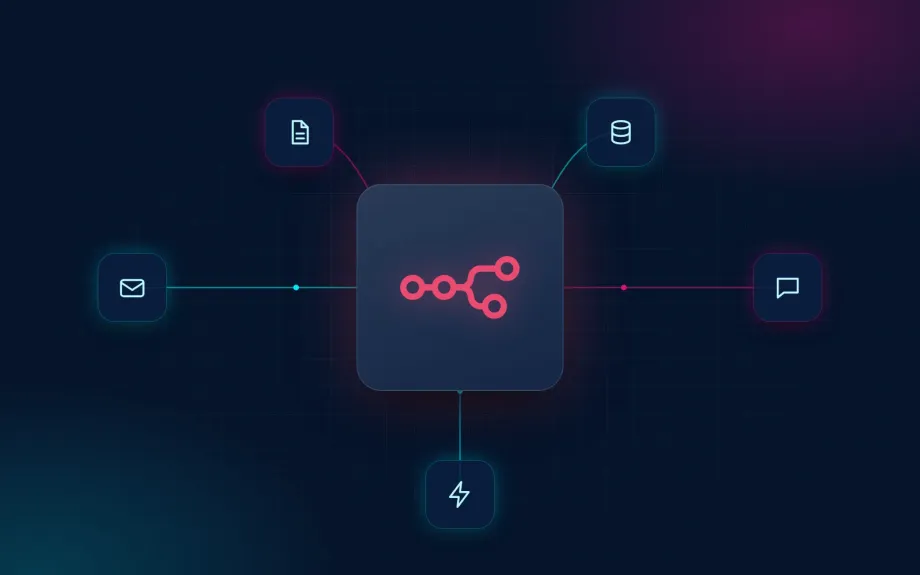
If you’ve never seen one, picture a diagram of boxes joined by arrows, where each box does one thing and passes the data on to the next. That’s an n8n workflow.
Is n8n open source? What “fair-code” means
Not strictly. Its source code is public, but it’s released under the Sustainable Use License, which n8n calls “fair-code”. In practice:
- You can use and modify it for free for your own internal business purposes, or for personal or non-commercial use.
- You can build workflows and provide consulting for clients: setting up n8n on a client’s own infrastructure and building their workflows is allowed.
- You can’t resell it as a service: hosting n8n for others and charging for it, or building it into a commercial product, needs an agreement with n8n.
- Enterprise features (files marked
.eein the code) aren’t covered by that license and need a paid one.
For a business automating its own processes, the license is no obstacle. It is one if you plan to build a business selling n8n to others. That’s why we work the way we do: the client owns the server and the n8n instance, and we help as consultants to set it up and build the workflows. We don’t resell n8n or host it as a service.
Is n8n free?
Yes and no. It depends on how you use it:
- Self-hosted Community Edition: free. No limit on workflows or executions. If you register your instance with an email address, n8n unlocks a few extra features for free (folders, debugging in the editor).
- What the free version doesn’t include: sharing workflows and credentials between users, projects, separate test and production environments, Git version control, single sign-on (SSO) or log streaming to external systems. For a team of one or two people this rarely matters; for a company with several departments, it does.
- What you still pay for: the server, backups, updates and the hours of someone who knows how to run it. That’s the cost almost no guide mentions.
- n8n Cloud isn’t free, although there’s a trial with no credit card.
How much does n8n cost? Pricing as of October 2026
n8n charges per execution: one execution is one complete run of a workflow, whether it has 3 steps or 30. That’s a big difference from Make and Zapier, which charge for each step.
| Plan | Price (billed annually) | Executions per month | Hosting | Best for |
|---|---|---|---|---|
| Community Edition | Free | Unlimited | Your server | Internal use, with someone technical to maintain it |
| Starter | €20/month | 2,500 | n8n Cloud (EU) | First workflows, no server of your own |
| Pro | €50/month | 10,000 | n8n Cloud (EU) | SMEs with several workflows in production, workflow history |
| Business | €667/month | 40,000 | Your server | Companies that need SSO, environments and Git |
| Enterprise | Contact sales | Custom | Cloud or your server | Large organisations, support with an SLA |
Worth knowing:
- Paying monthly costs more. n8n’s pricing page shows annual billing; check the monthly rate before you sign up.
- Unlimited users on every plan. You don’t pay per seat.
- Startup plan: 50% off Business for companies with fewer than 20 employees and less than €5M in total funding.
- Free cloud trial: no credit card, 1,000 executions.
- Self-hosted: a small European server costs from a few euros a month. You’ll usually install n8n with Docker (n8n’s recommended method), and you’ll need a domain, an HTTPS certificate and a database with backups.
Always check current prices on n8n’s pricing page, as they change often.
What we recommend: the self-hosted Community Edition on your own infrastructure. It has no licence fees and no execution limits, and your data stays on your server. That’s how we always work: we set it up with you, and you own the instance.
n8n Cloud vs self-hosted
| n8n Cloud | Self-hosted | |
|---|---|---|
| Setup | Minutes | Hours, if you know servers |
| Security updates | Applied by n8n | Applied by you |
| Backups | Included | Set up by you |
| Where your data lives | EU (Frankfurt, on Microsoft Azure) | Wherever you choose |
| Cost | From €20/month, by executions | Server + maintenance hours |
| Execution limit | By plan | None (only your server’s capacity) |
What about GDPR? n8n is a German company and its cloud stores data in the European Union, in Frankfurt, on Microsoft Azure infrastructure. It offers a data processing agreement (DPA). Self-hosted, you control where the data is. But be careful: if your workflow sends data to OpenAI, a US-based CRM or any other service, that data leaves n8n. We cover where each AI provider processes data in our guide to EU data residency for AI models.
AI agents in n8n
n8n is no longer just an “if this, then that” tool. It includes AI nodes to connect models from OpenAI, Anthropic or Google, and an AI agent node that decides which tools to use to complete a task: look something up in the CRM, search your documents, send an email. It also has conversation memory, vector database connections, MCP server connections and human approval steps, where the workflow waits for a person to sign off before it carries on.
The big advantage is that you can mix fixed steps (cheap and predictable) with AI decisions only where judgement is needed, in the same workflow. That’s what we recommend in our guide to what an AI agent is. If what you need is an agent that talks to your customers, our guide to how much an AI agent costs has real prices.
n8n vs Make vs Zapier
| n8n | Make | Zapier | |
|---|---|---|---|
| How it charges | Per execution (the whole workflow) | Per credit (almost every step uses one) | Per task (each completed action) |
| Free plan | Self-hosted, unlimited executions | 1,000 credits a month | 100 tasks a month, two-step Zaps |
| Self-hosting | Yes | No | No |
| Where your data lives | EU on the cloud, or wherever you want | EU or US, chosen when you create the organisation | US only (no EU option) |
| Learning curve | Steepest | Medium | Easiest |
| Execution limits | None when self-hosted | Credits per plan | Tasks per plan |
Why n8n is the better choice for a business: it’s the only one of the three you can run on your own infrastructure, so your data stays with you instead of in someone else’s cloud. Zapier hosts data in the US only, with no EU option, and some of Make’s AI features are processed in the US even if your organisation is in the EU zone. n8n doesn’t charge per task or per operation, so a 30-step workflow costs the same as a 3-step one, and self-hosted there’s no execution limit at all. And when the visual editor isn’t enough, you can write code, and AI agents and MCP connections are built in. Zapier and Make are quicker to pick up, but that ease gets expensive at volume and leaves your data and your automations on a platform you don’t control. The extra technical skill n8n needs, and the security of a self-hosted instance, are what we take care of when we set it up with you.
What businesses use n8n for: real use cases
- Orders and invoicing: when an order lands in the online shop, create it in the ERP, generate the invoice and notify the warehouse.
- Leads: collect contacts from forms and ads, enrich them, score them with AI and push them into the CRM with a follow-up task for sales.
- Documents: read invoices or delivery notes that arrive by email, extract the data and post it to accounting, with a person reviewing the unclear ones.
- Reporting: every Monday, pull figures from several systems and send a summary by email or Slack.
- Customer service: sort incoming emails, answer the repetitive ones with AI and route the rest to the right person.
- Reconciliation: every night, compare data between two systems (payments, commissions, stock) and flag only the differences.
- Content: monitor news sources, suggest topics, draft with AI and leave the draft in the CMS for someone to approve.
n8n’s gallery has more than 13,000 workflow templates to get started. They’re great for learning but aren’t built for production: almost none include error handling, authentication or limits.
Is n8n hard to learn?
Building a first simple workflow takes an afternoon, and there are plenty of n8n courses, tutorials and docs. The hard part comes later:
- Understanding how data flows between nodes (n8n works with lists of items, and that’s where almost everyone gets stuck).
- Connecting APIs that don’t have their own node: authentication, pagination, rate limits.
- Handling errors: what happens when a service is down, when a field arrives empty or when the workflow runs twice.
- Running it in production: server, updates, backups, permissions and monitoring.
If someone on your team is technical, they can learn the basics in a few weeks. If nobody is, n8n isn’t a tool “for anyone” out of the box, and the answer is help setting it up rather than a simpler tool.
The risks of running n8n on your own
n8n is powerful precisely because it has access to everything: your email, your CRM, your ERP, your bank. That’s why a poorly maintained n8n instance is one of the most dangerous ways into a small business.
1. An instance that never gets updated
So far in 2026, n8n has published more than 200 security advisories on GitHub, 19 of them rated critical. A few examples:
- CVE-2026-21858 (severity 10 out of 10, January 2026): an attacker with no login at all could read files on the server through certain form-based workflows. It affected versions from 1.65.0 and was fixed in 1.121.0.
- CVE-2026-21877 (severity 9.9): a logged-in user could run code on the server and take over the instance.
- On 14 October 2026, the day before this guide, another 15 advisories came out, including one about credential secrets exposed in the error data of some nodes.
On n8n Cloud, n8n applies the patches. On your own server, if nobody updates it, the hole stays open. And many self-hosted n8n instances are installed once and never touched again.
2. The keys to your whole business, in one place
Every n8n connection stores a credential: your email password, your CRM API key, your database login. They’re encrypted, but the encryption key lives on the same server. If someone gets into the instance, they get into everything n8n is connected to. And if you lose that encryption key while migrating or restoring, you lose every credential.
3. Public webhooks with no authentication
A webhook is a web address open to the internet. By default, n8n’s Webhook node doesn’t require authentication: anyone who knows the address can trigger the workflow with whatever data they like. If that workflow creates orders, sends emails or writes to your database, someone could use it on your behalf.
4. Workflows that fail silently
A workflow that breaks at 3am tells nobody unless an error workflow has been set up. You find out weeks later, when a customer asks about an invoice that never went out or leads are missing from the CRM. Without alerts or monitoring, a broken automation is worse than none: everyone thinks it’s working.
5. No backups
In a self-hosted n8n, workflows, credentials and history sit in a database on your server. If the disk fails or an update goes wrong and there are no tested backups, you’re rebuilding everything from memory.
6. The person who built it leaves
This is the most common risk. An enthusiastic employee builds 40 workflows in their own account, undocumented, using their personal credentials. When they leave, nobody knows what each workflow does, which ones are critical or how to fix them.
Why a team that already runs n8n in production avoids all this
None of this is exotic: these are the usual mistakes of a first n8n deployment. A team that has already taken n8n to production sorts them out from day one: scheduled updates, authenticated webhooks, least-privilege credentials in the company’s name, alerts when something fails, backups that have actually been restored in a test, and documented workflows anyone can pick up.
Already running n8n and not sure what state it’s in? Tell us about it and we’ll review it with you.
How we do it at Aitomatik
We use n8n for our process automation work, with custom code where a workflow needs it. We always install the free Community Edition on the client’s own infrastructure: you own the server and the n8n instance, and we act as consultants to set it up and build the workflows. That keeps us within n8n’s licence, as we don’t resell or host n8n as a service, and you pay no licence fees.
- For European clients, we set n8n up on your own servers in Europe and, when the workflow uses AI, models processed in Europe with zero data retention and no training on your data. We explain it in detail in our guide to EU data residency for AI models. International clients aren’t limited to EU models.
- We design for when things go wrong, not just when everything works: retries, error alerts and human approval on sensitive steps.
- The code and workflows are usually yours, agreed per project.
Two examples of the kind of automation we build:
- Automated affiliate commission approval for a booking platform: a process that took 1–2 days of manual work each month now runs on its own every night. It’s a textbook case of reconciling two systems.
- AI content curation with human approval for a digital media company: the system spots news, a person approves the topic from Telegram, and AI leaves the draft in WordPress. AI where it helps, a person where it decides.
If your workflow includes an AI agent that talks to customers, our AI agent pricing guide covers what it costs to build and run.
Frequently asked questions
Is n8n free? The Community Edition is free if you host it on your own server and use it for your company’s internal processes. n8n Cloud is paid, from €20 a month billed annually.
How much does n8n cost per month? On the cloud, €20 a month for Starter and €50 for Pro, billed annually. Self-hosted, the cost is the server (from a few euros) plus the time to maintain it.
Can I use n8n for free forever? Yes, the self-hosted version doesn’t expire. What isn’t free is keeping it secure: updates, backups and monitoring.
What’s the difference between n8n and Make? n8n charges per complete execution and can run on your own server; Make charges per credit (almost every step) and only runs in its cloud. For a business, n8n is the better choice: no execution limit when self-hosted, more flexible, and your data stays on your infrastructure.
Can I resell n8n to my clients? Not without an agreement with n8n. The license lets you use it for your own business, not offer it as a paid service to others. Building workflows for a client on their own instance is allowed, and it’s exactly how we work.
Is n8n secure? It can be, but security depends on who runs it. Self-hosted, you need to update it often, protect webhooks and credentials, and watch for failures.
Want to know if n8n fits your business?
Tell us which processes eat up the most time and which tools you use. We’ll tell you which ones are worth automating with n8n, how we’d set it up on your infrastructure and what it would cost. See our process automation service or book a free call.
Prices and security advisories checked on n8n.io and GitHub in October 2026. n8n, Make and Zapier prices change often. Last reviewed: 15 October 2026.